
My Premise Health
Premise Health Holding CorpMedical
4.5574.00 Reviews
- Version
- 11.7.3
- Installs
- 100.00K
- Age Rating
- Everyone
Screenshots
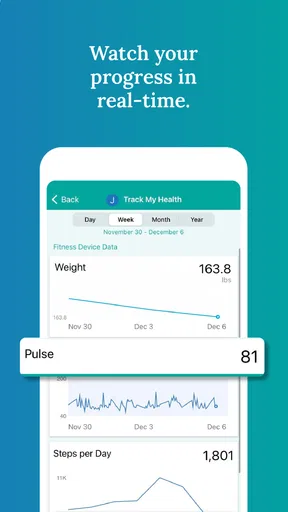
Our Review of My Premise Health
 Analysis by Appyee
My Premise Health is the kind of medical app I appreciate most when I need to handle a small health task without turning it into a phone call, a paper trail, or a search through several different services. It puts personal health information and related care tools in one mobile space, which can make routine healthcare feel much less scattered. My overall view is positive: this is a practical companion for people already connected to Premise Health, but it is not a universal replacement for a doctor, an emergency service, or every healthcare app you may already use.
What makes it worth considering is its narrow purpose. Rather than trying to be a general wellness tracker, a medication encyclopedia, or a social health platform, it focuses on giving users a more direct way to interact with their health information. That focus is useful because medical administration often becomes frustrating precisely when information is spread across portals, emails, documents, and separate appointment systems.
How My Premise Health fits into everyday healthcare
Developed by Premise Health Holding Corp, this free Medical app is designed for people who receive healthcare through the Premise Health environment. The app has been available since October 6, 2017, and its current version is 11.7.3. It has reached over 100,000 installs and holds a 4.5 average from around 1,300 ratings, with about 574 written reviews. Those figures suggest that it has found a steady audience rather than being a short-lived experiment.
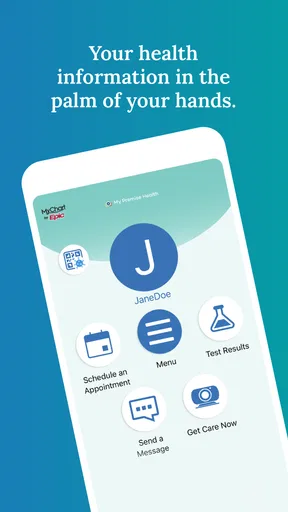
I would describe the app as a mobile doorway to your healthcare information. That distinction matters. A doorway is valuable when it leads to services you already use, but it does not automatically create a relationship with a clinic or provider. If your employer or healthcare arrangement does not connect you with Premise Health, the app may have little practical value even if you like its general idea.
The first thing I would do after installing it is check whether my organization, health plan, or care provider actually supports access through Premise Health. This is a more important first step than exploring every screen. A medical portal can look polished and still be irrelevant if your records and care options are not attached to that account.
The app is rated for Everyone, which makes sense for a healthcare information tool intended for a broad audience. It is free to download, although that should not be confused with free medical care. The application itself does not remove the normal costs, eligibility rules, or coverage conditions connected to the healthcare services you access through it.
The strongest benefit is reducing small points of friction
In my experience, the best health apps are not always the ones with the most features. They are the ones that save a few minutes at exactly the right moment. My Premise Health can be useful when I want to review information before speaking with a clinician, prepare for a visit, or keep track of what I need to ask. Having that material available on a phone is more convenient than relying on memory or carrying printed documents.
A realistic example is a weekday morning when I realize I need to confirm something about an upcoming care interaction. Instead of searching old messages and opening a browser portal, I can start with the app and look for the relevant health information in the same place where I manage my connection to Premise Health. Even when the task takes only a few minutes, that simpler path can prevent a minor question from becoming an afternoon project.
There is also a useful preparation habit here: I would open the app before an appointment, not only during a crisis. Reviewing available information ahead of time helps me write down symptoms, dates, medication questions, or follow-up points while I am calm. The app cannot replace that preparation, but it gives me a more convenient place to begin it.
Another non-obvious advantage is continuity during ordinary life changes. People often switch between a home computer, a work computer, and a phone while managing healthcare. A mobile portal can be especially helpful when a question comes up away from a desk. That does not mean every task is better on a phone, but it gives users an additional access point instead of forcing them to wait until they are near a browser.
Useful for preparation, not just passive viewing
Many people think of a health information app as something they open only to read records. I find it more valuable when I use it as a preparation tool. Before contacting care, I can gather the details I already know, identify what is missing, and make a short list of questions. That workflow helps avoid the common problem of ending a consultation and remembering the important question only afterward.
I would also use it after a visit to organize my own understanding. If a clinician gives me several instructions, the app can serve as the place I return to when I need to reconnect with the relevant information. The important point is to treat the mobile record as a reference, not as a substitute for asking a professional to explain something unclear.
For caregivers, the value depends heavily on the account setup and access arrangements available to them. I would not assume that another person can view someone else’s health information simply because they share a household or help with appointments. Anyone considering the app for a parent, partner, or dependent should first establish how authorized access works in their particular Premise Health arrangement.
This is one area where expectations can easily become unrealistic. A person may install the app hoping to manage an entire family’s care from one screen, only to discover that healthcare access is tied to individual accounts and permissions. The sensible approach is to regard shared care coordination as something to verify during setup, rather than a feature to assume.
The main limitation is that access depends on the Premise Health connection
The biggest weakness is not necessarily a flaw in the interface. It is the app’s dependence on the healthcare relationship behind it. A general health app can be useful to almost anyone because it may offer tracking, reminders, or educational content. My Premise Health is more specialized. Its usefulness rises sharply for an eligible user and falls just as sharply for someone outside that system.
That makes it different from a standalone symptom tracker or a generic appointment organizer. Those alternatives may work across multiple clinics and insurers, while this app is most meaningful when your care is already connected to Premise Health. If you regularly see providers from unrelated systems, you may still need other portals, and the convenience of having one central mobile tool becomes less complete.
There is also a trade-off between convenience and screen size. A phone is excellent for checking information while away from home, but a long medical history or complicated set of details may be easier to understand on a larger display. I would use the mobile app for quick access and preparation, then choose a browser or direct conversation with a provider when I need to examine a dense amount of information.
Another point worth keeping clear is urgency. A healthcare portal is not the right place to wait for help with a serious or rapidly worsening medical problem. If something feels urgent, I would use the appropriate emergency or immediate-care channel instead of assuming that a mobile record app can provide a fast clinical response.
Privacy also requires normal discipline from the user. A phone containing health information should be protected with a secure device passcode and sensible account habits. I would avoid signing in on a shared device, leave the app when finished, and keep the operating system supported. The minimum operating system requirement is iOS 11 or later, so users with older Apple devices should check compatibility before planning around it.
Where it compares well with familiar alternatives
Compared with calling a clinic for every administrative question, the app offers a more self-directed starting point. It can reduce dependence on office hours and make information available when I happen to need it. That is especially helpful for people who work irregular schedules or dislike making calls for simple matters.
Compared with a general wellness application, it is better suited to actual healthcare information than to lifestyle motivation. A fitness tracker may be stronger for exercise goals, sleep patterns, or daily activity. A medication reminder may be more focused on alarms. My Premise Health makes more sense when the central need is connection to Premise Health services and information rather than broad personal analytics.
Compared with a paper folder, the phone is easier to carry and quicker to consult, although paper can still be useful as a backup during travel or when a device is unavailable. Compared with several separate provider portals, the app may simplify the experience when your care is organized through Premise Health. It will not necessarily eliminate every other portal if your medical life spans multiple independent systems.
That comparison leads to a practical recommendation: do not install it because you want a complete digital health command center. Install it because you have a Premise Health connection and want a more convenient mobile route to the information and care relationship associated with it.
Who will get the most from this app
I think the best audience is someone who already uses Premise Health and wants to stay closer to their healthcare information while away from a computer. It is also a good fit for people who prefer checking details themselves before contacting a clinic, and for anyone who wants a repeatable routine for preparing questions before an appointment.
Busy employees and families may appreciate the reduced friction around ordinary healthcare tasks, particularly when a question appears outside a convenient calling window. People who are comfortable with mobile banking, online appointments, and digital documents will probably understand the basic value quickly: the app makes healthcare information feel more reachable and less dependent on a physical file.
I would be more cautious about recommending it to someone who expects detailed health coaching, extensive tracking, or one service that covers every provider they see. It is also not the right primary tool for someone who needs immediate medical attention or who has no meaningful connection to Premise Health. In those situations, a direct provider relationship, an emergency service, or a broader health-management solution may be more appropriate.
For a first-time user, my advice is to set it up when you are not already stressed. Confirm your account details, explore where your information is organized, and note which tasks still require direct contact with a healthcare professional. Then use it before a routine appointment so you can learn the workflow without the pressure of a same-day problem.
I would also keep expectations realistic about what “having your health information in your hands” means. Access is empowering, but information can be incomplete, difficult to interpret, or dependent on how quickly a healthcare team updates its systems. When something looks confusing or conflicts with what a clinician told you, the right response is to ask for clarification rather than trying to diagnose the issue from the app.
My final assessment
My Premise Health is a focused medical companion rather than an all-purpose health app. Its strongest quality is convenience: it gives eligible users a mobile route to their Premise Health information and makes preparation for ordinary care less cumbersome. The free price and Everyone age rating make it easy to try, while its established release history and 4.5 average indicate that many users find the concept dependable enough to keep using.
My reservation is equally clear. The app’s value is tied to the healthcare system behind it, so people outside that network should not expect much from it. Even eligible users may still need other portals, a larger screen, or direct professional advice depending on the task. That is not a reason to dismiss it; it is the boundary that defines the product.
If I were recommending it to a friend, I would say: use it when Premise Health is already part of your care, especially if you want easier mobile access and better appointment preparation. Keep a separate solution for wellness tracking if that is your priority, and never treat the app as a replacement for urgent care or clinical judgment. Within its intended role, it is a sensible, practical tool that can make healthcare administration feel a little more manageable.
Verdict
Strengths of My Premise Health
- Secure access to health records, test results, and care plans in one place.
- Lets you message providers and manage appointments without calling the office.
- Prescription refill and medication details are easy to review on the go.
- Supports virtual visits for convenient access to eligible care services.
- Health reminders and wellness tools can help users stay engaged with care.
Limitations of My Premise Health
- Features and available services vary depending on your employer or health plan.
- Some users may experience slow loading or login issues after app updates.
- Not every provider, appointment type, or medical record may appear in the app.
- Virtual care availability can depend on location, eligibility, and provider schedules.
- Requires an active Premise Health account and compatible participating services.
Similar Picks in This Category
View All
WebMD: Symptom Checker
WebMD, LLC4.1

Microphone Amplifier
DOSA Apps4.2

Anatomy Learning - 3D Anatomy
3D Medical OU4.5

Period Tracker and Calendar
SimpleInnovation4.9

GoodRx: Prescription Coupons
GoodRx4.8

CVS Health
CVS Pharmacy4.5
Frequently Asked Questions
What is My Premise Health used for?
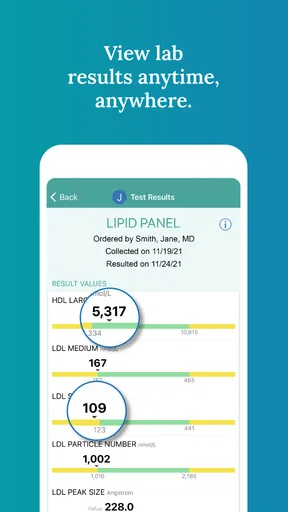
My Premise Health is a healthcare management app for eligible members of Premise Health employer-sponsored or partner health plans. After signing in, users may be able to view health information, schedule or manage appointments, communicate with care teams, review certain medical records, and access wellness or benefits resources. The exact tools available depend on your employer, plan, care location, and Premise Health services.
Who can use the My Premise Health app?
The app is generally intended for people who receive healthcare services or benefits through a participating Premise Health employer, clinic, or health plan. You may need an active account and enrollment information provided by your organization. Family members or dependents may have separate access rules. If your employer or clinic does not use Premise Health, downloading the app alone may not provide access to its features.
How do I sign in or create an account in My Premise Health?
To use My Premise Health, you typically sign in with credentials connected to your Premise Health account. New users may need to register using information supplied by their employer or care provider, verify their identity, and create a password or use an available secure sign-in option. If registration fails, contact your organization’s benefits team or Premise Health support rather than creating multiple accounts.
Can I schedule appointments and message my healthcare provider through the app?
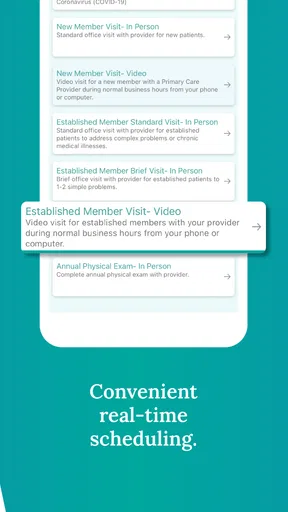
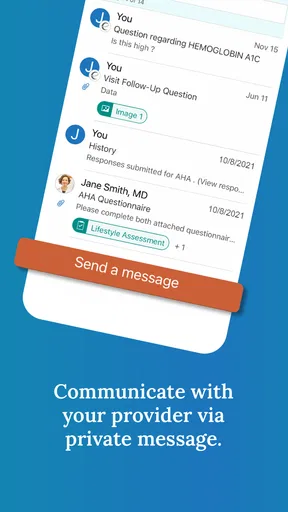
Depending on your organization’s configuration, My Premise Health may let you request or schedule appointments, view upcoming visits, receive reminders, and send secure messages to participating healthcare professionals. Availability can vary by clinic, specialty, appointment type, and location. The app should not be treated as an emergency service, so urgent or life-threatening symptoms require immediate help through local emergency services.
Is My Premise Health free, and is my personal health information secure?
The app is generally available at no additional download cost for eligible members, although your healthcare plan may have its own fees, copayments, or service rules. My Premise Health is designed to handle health information through secure account access and privacy practices, but users should still protect passwords, enable device security, and avoid accessing the account on shared or public devices. Review the app’s current privacy policy for details.
